Tutorial 22 Jan 2026
Feature 2: Draw Manual Plan
Precision CAD-like drawing tool for when AI needs specific guidance on wall lengths and room arrangements.
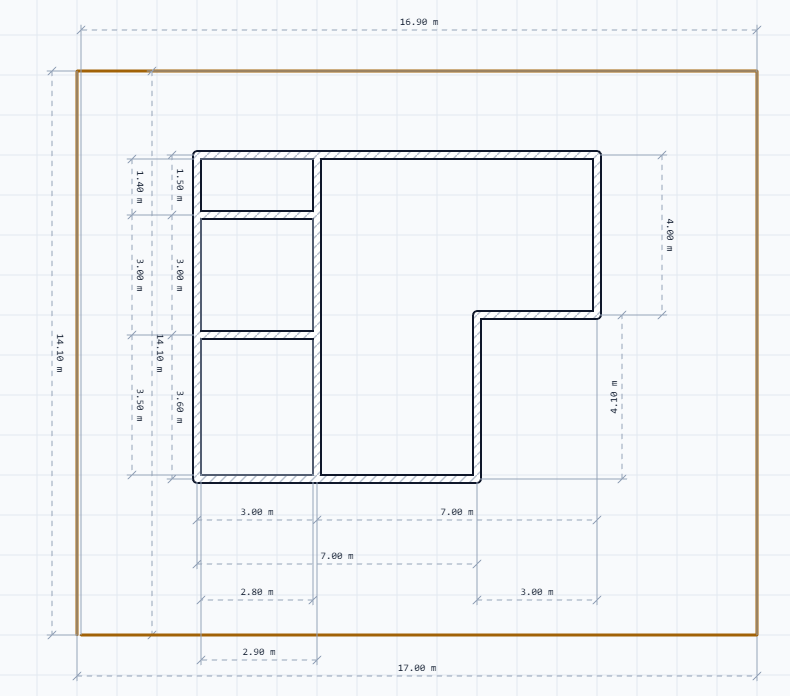
Mode: Draw Manual Plan (Pen Feature)
Precision CAD-like drawing tool for when AI needs specific guidance.
Interface Overview
- Canvas: The main drawing area with a grid.
- Sidebar Tools:
- Wall Tool: Click and drag to draw walls. They snap to 90 degrees.
- Doors/Windows: Drag these icons onto existing walls to place openings.
- Furniture: Drag beds, sofas, and tables into rooms to designate their function.
Step-by-Step
- Enter Mode: Click the Pen Tool. The sidebar will collapse.
- Draw Perimeter: Use the Wall Tool to draw the outer shape of the building. Watch the dimension labels for accuracy.
- Partition: Draw internal walls to divide rooms.
- Furnish: Place key items (Bed in bedroom, Sofa in living room). This is crucial for the AI to understand "what room is this" if you use this drawing for 3D generation later.
- Save/Export: Use the save icon to capture your layout.