Features 22 Jan 2026
Feature 3: Floor Plan to 3D Room
Visualize a single room from a 2D floor plan into a realistic 3D perspective or top-down view.
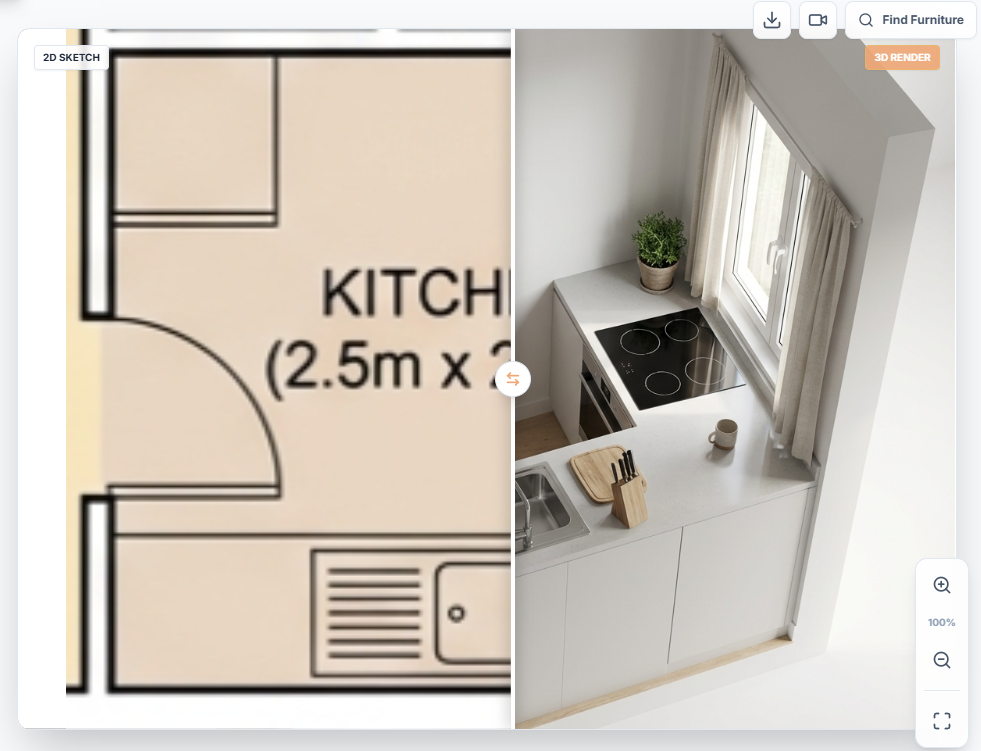
Mode: Floor Plan to 3D (Layout Template Icon)
Visualize a single room from a 2D floor plan into a realistic 3D perspective or top-down view.
Critical Step: Cropping
You cannot render a whole house at once. You must crop ONLY ONE room (e.g. Master Bedroom).
Parameters
- Room Context: Tell the AI what you cropped (e.g., "Bedroom").
- Render View Style:
- Top View: Isographic/Orthographic view from above. Good for layout clarity.
- Human View: Perspective view from inside the room. Good for design vibes.
- Style & Mood: Choose the interior design style (e.g., "Scandi") and lighting (e.g., "Morning").
Read Next
ReimagineHome AI vs ArchEasy: Which Virtual Staging App is Better?
Evaluating the best AI tools for real estate agents looking to virtually stage empty rooms.
Read Article →ArchEasy vs Planner 5D: Which is the Best AI Room Planner in 2026?
Comparing the manual drag-and-drop mechanics of Planner 5D against the instant generative power of ArchEasy.
Read Article →